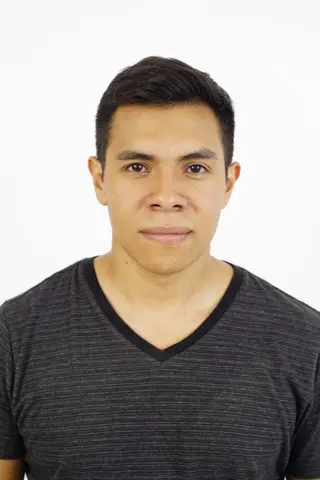
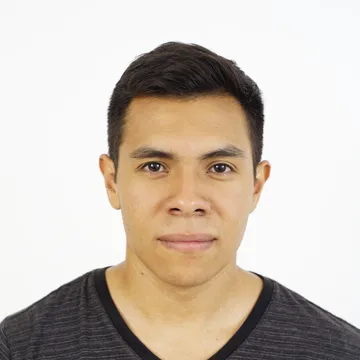
Dominican Republic Passport photo requirements
Dominican consulates ask for two front-facing 2 x 2 inch photos on a white background for passport issuance and renewal, with both ears visible and no jewellery on the ears, face or neck. One of the photos must be stamped by the studio that took it, showing the date; the photo is valid for one year.
| Photo size | 50.8 x 50.8 mm (2 x 2 in) |
|---|---|
| Digital size | 600 x 600 px |
| Resolution | 300 DPI |
| Head height (chin to crown) | Not published — check official source |
| Eye line from bottom | Not specified |
| Background | plain white |
| File format | JPEG |
| File size | No limit published |
| Background editing | Optional paid replacement if your background fails our check; retaking is safest |
| Last verified | 2026-09-29 |
Official source: dominicanconsulate.ca
How to take your Dominican Republic Passport photo
- Stand about 50 cm in front of a plain white wall, with nothing else in the background.
- Use soft, even light from the front (a window in daylight works well). Avoid shadows on your face and behind you.
- Have someone else take the photo from 1–2 m away with the camera at eye level. Avoid arm-length selfies.
- Look straight at the camera with a neutral expression, mouth closed and both eyes open.
- Remove glasses, hats and headphones unless the rules allow them (religious or medical exceptions vary).
- Leave space above your head and below your shoulders so the tool can crop to the exact size.
FAQ
- What size is a Dominican Republic Passport photo in pixels?
- 600 x 600 px, JPEG, on a plain white background. The printed size is 50.8x50.8 mm (2x2 in).
- Can I take my Dominican Republic passport photo with a phone?
- Usually yes, if the photo is sharp, evenly lit and taken from about 1–2 m away with the camera at eye level. Ask someone else to take it rather than using a selfie at arm's length, which distorts facial proportions.
- Can I wear glasses?
- Many authorities no longer accept glasses in photos, and others require no glare or tinted lenses. Check the official source linked on this page.
- What background should I use?
- The published requirement is: plain white. Stand about 50 cm in front of a plain wall to avoid shadows.
- Will my photo be accepted?
- We format your photo to the published spec, but acceptance is decided by the issuing authority.
Official source
Requirements are published by the issuing authority at https://dominicanconsulate.ca/passport-issuance-requirements/. Last verified: 2026-09-29.
Disclaimer: We format your photo to the published spec; acceptance is decided by the issuing authority.