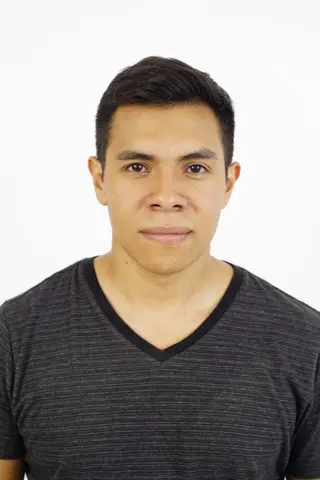
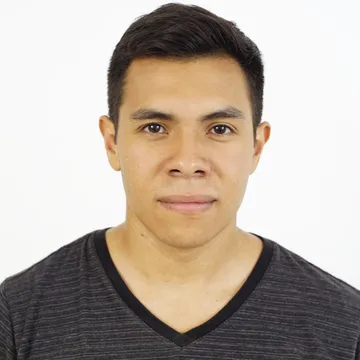
United States Visa photo requirements
Used for the DS-160 online visa application. Square JPEG, 600x600 to 1200x1200 px, 240 KB or less. Head (top of hair to bottom of chin) 50–69% of the image height; eyes 56–69% up from the bottom. Glasses are no longer allowed except for rare medical reasons. Photos must not be digitally enhanced or altered to change your appearance.
| Photo size | 50.8 x 50.8 mm (2 x 2 in) |
|---|---|
| Digital size | 600 x 600 px |
| Resolution | 300 DPI |
| Head height (chin to crown) | 50–69% of photo height |
| Eye line from bottom | 56–69% of photo height |
| Background | plain white or off-white |
| File format | JPEG |
| File size | up to 240 KB |
| Background editing | Not offered; we crop and resize only |
| Last verified | 2026-11-07 |
Official source: travel.state.gov
Guides: How to take a passport photo at home with your phone · What to wear for a passport photo – clothes, hats, glasses and jewellery · Passport photo background colour – white, cream or light grey? · Passport photo file too large? Size limits and how to fix it · Glasses and glare in a passport photo – US, UK and Canada rules · Shadows on a passport photo – why they get it rejected and how to fix them · DS-160 photo rejected or upload failed – what to fix · DV lottery photo – 600x600 px, 240 KB, and the mistakes that disqualify entries
How to take your United States Visa photo
- Stand about 50 cm in front of a plain white or off-white wall, with nothing else in the background.
- Use soft, even light from the front (a window in daylight works well). Avoid shadows on your face and behind you.
- Have someone else take the photo from 1–2 m away with the camera at eye level. Avoid arm-length selfies.
- Look straight at the camera with a neutral expression, mouth closed and both eyes open.
- Remove glasses, hats and headphones unless the rules allow them (religious or medical exceptions vary).
- Leave space above your head and below your shoulders so the tool can crop to the exact size.
FAQ
- What size is a United States Visa photo in pixels and KB?
- 600 x 600 px, JPEG, up to 240 KB, on a plain white or off-white background. The printed size is 50.8x50.8 mm (2x2 in). The head should take up 50–69% of the photo height.
- Can I take my US visa photo with a phone?
- Use a recent phone in good light, not a webcam, and have someone else take it from about 1–2 m away at eye level. The State Department warns that most webcams and mobile phones can't provide sufficient quality, and low-resolution phone photos aren't accepted.
- Can I wear glasses?
- Many authorities no longer accept glasses in photos, and others require no glare or tinted lenses. Check the official source linked on this page.
- What background should I use?
- The published requirement is: plain white or off-white. Stand about 50 cm in front of a plain wall to avoid shadows.
- Will my photo be accepted?
- We format your photo to the published spec, but acceptance is decided by the issuing authority.
Official source
Requirements are published by the issuing authority at https://travel.state.gov/content/travel/en/us-visas/visa-information-resources/photos.html. Last verified: 2026-11-07.
Disclaimer: We format your photo to the published spec; acceptance is decided by the issuing authority.